⚡
One-click start
Pick a server and click — no setup.
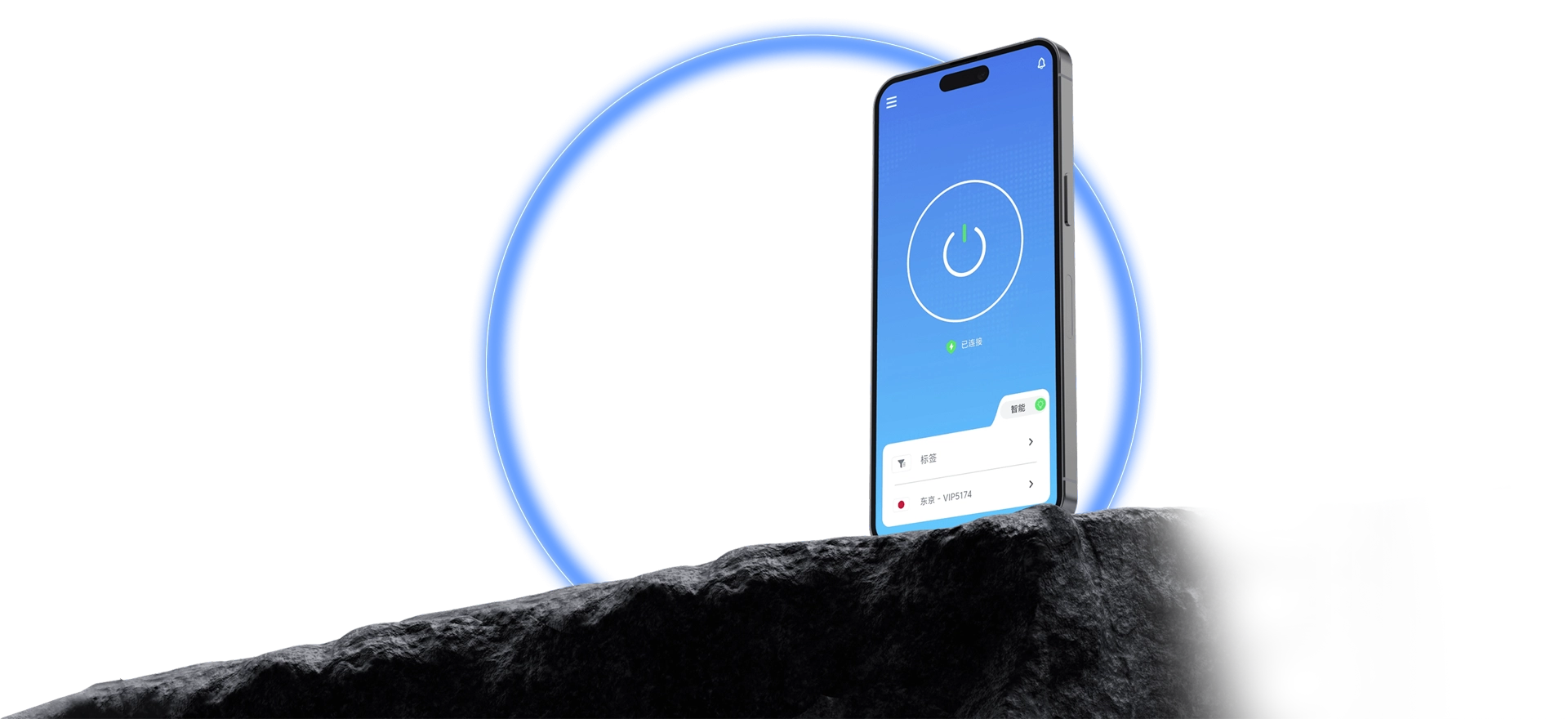
Open QuickQ, pick a server, start with one click. When “Connected” appears, open your film, live stream or game for a smoother start.
Dealing with the network after a freeze or disconnect is usually too late. QuickQ puts boosting first: start it in the software with one click, check the status, then open your film or game. The start button and server list are in the same place on every platform, so a new device is instantly clear. Actual speed still depends on home broadband, Wi-Fi signal and the destination site, so the homepage also includes new-device migration steps, a holiday and big-event prep table, router placement, a troubleshooting order and a server log.
Only what gets used every day.
Pick a server and click — no setup.
Servers grouped by area for easy switching.
Connecting, connected and disconnected shown promptly.
Computer, phone and tablet share a login.
Play a short clip before the real thing.
Intro tutorial and Q&A always available.
Click a platform for install details, or get it directly.
Get your platform's build and install it.
Sign in and choose a server.
Once Connected, try a clip.
| Use | Beforehand | When stuttering |
|---|---|---|
| Films and series | Stop big downloads on other devices | Lower clarity a step |
| Live football | Stay near the router on 5GHz | Refresh, or disconnect and change server |
| Ranked climbing | Turn off launcher auto-updates | Switch after this round |
| Remote collaboration | Start early, test mic and camera | Check local network, then contact tech staff |
We don't promise “zero stutter” — we explain what affects speed.
All three plans are on the plan prices page.
Local network first, then server.
Longer plans mean a lower monthly equivalent.
¥49 a month
About ¥24.9 / month equivalent
About ¥20.8 / month equivalent
Minimum OS versions and package formats.
| Platform | Minimum OS | Package |
|---|---|---|
| Windows | Windows 10 64-bit | EXE |
| macOS | macOS 11 | DMG |
| Android | Android 8.0 | APK |
| iOS / iPadOS | See Get the Software | Follow page steps |
| Linux | Ubuntu 20.04 / Debian 11 | DEB |
Using a typical office worker as an example.
Start boosting on mobile data for news and audio.
Start when the computer boots; check key sites and tools.
Evenings are crowded — stop home downloads before films.
Check latency before the match; consider switching after.
No selling personal information, no ads.
Every price is on the plan prices page.
We say honestly what affects speed.
Tutorial and Q&A update with releases.
Home, on the road and public places differ.
| Setting | Trait | Note |
|---|---|---|
| Home broadband | Usually stable, shared by all | Ask family to pause heavy use before starting |
| Mobile data | Strongly signal-dependent | Start where signal is good; avoid lifts and basements |
| Public Wi-Fi | Unstable when crowded | Avoid peaks; switch to data if needed |
| Company network | May be restricted | If it won't start, ask IT |
Answer and you have it.
Single month ¥49; decide after.
Full year ¥299, about ¥24.9 a month equivalent.
Two years ¥499, about ¥20.8 a month — the best deal.
Clear these up and save effort.
| Misbelief | Fact |
|---|---|
| Every site speeds up after starting | Speed also depends on the site, broadband and device. |
| More server changes are better | Each switch interrupts; check local network first. |
| High latency means a bad server | Wi-Fi interference, updates and busy servers raise latency. |
| Pricier plans have more functions | All three are identical; only duration and monthly equivalent differ. |
Stable device, stable boost.
A restart after long uptime helps.
Get the latest from the Get the Software page.
Disable unnecessary auto-starts.
Overheating throttles speed, especially in games.
What you can change and what needs waiting.
| Aspect | Sign | Fix |
|---|---|---|
| Home broadband | Slower with everyone online | Stagger downloads; prioritise the active device |
| Wi-Fi signal | Weak through many walls | Move closer or use a cable |
| Server load | Crowded at night | Switch to a quieter region |
| Destination site | Busy site | Retry later or lower clarity |
| Device performance | Old or hot devices lag | Close apps and cool the device |
One small step daily, comfortable in seven days.
Install QuickQ on your main device and boost once.
Test your usual server once by day, once by night.
Sign in with the same account on phone or tablet.
Practise “disconnect, then switch”.
Handle a small stutter with the Q&A.
Pick a duration on the plan prices page.
How to arrange several devices together.
| Pair | Use | Tip |
|---|---|---|
| Phone + laptop | Commute and office | Same account; start on whichever you use |
| Desktop + tablet | Gaming and films | No HD on the tablet during ranked |
| Family phones | Everyday fun | Check simultaneous logins on the plan prices page |
| Mac + iPhone | Creating and talking | Test servers on the Mac, then the phone |
Fast is good; safe is essential.
Shared accounts get flagged for odd logins.
Download only from this site's Get the Software page.
Log out after using someone else's computer.
Patches keep you safer.
Understand the status and the next step is clear.
| Status | Meaning | Next step |
|---|---|---|
| Connecting | Joining the chosen server | Wait a few seconds; don't keep clicking |
| Connected | Server ready | Open content and try it |
| Disconnected | Boost stopped | Start again when needed |
| Failed | Didn't connect this time | Check local network, then change server |
For multi-user homes (general figures).
| Use | Approx. need | Tip |
|---|---|---|
| SD video | About 3 Mbps | Data is enough |
| 1080p HD | About 5–8 Mbps | Leave headroom for group viewing |
| 4K video | About 25 Mbps | Cable or 5GHz advised |
| Online gaming | 1–3 Mbps; latency matters more | Stability first |
| Video calls | About 2–4 Mbps | Upload matters too |
Everyone online without interference.
Separate film and gaming times.
Pause other downloads while the TV plays.
Minors use it with a parent.
Follow the plan prices page for simultaneous use.
Know what changed before installing.
| Type | Contents | Tip |
|---|---|---|
| Feature update | New or improved functions | Update when idle |
| System compatibility | Supports new OS | Update soon after OS upgrades |
| Bug fix | Solves crashes and freezes | Update first if affected |
| Server adjustment | Refreshed server list | Re-pick afterwards |
Two minutes before leaving home Wi-Fi.
Browse the site in order, from install to fluent.
A few clicks fewer, much handier.
Right-click and pin for one-click opening.
QuickQ stays in the Dock.
Put the icon on screen one.
Pull down and search QuickQ.
Choose the region by what you're accessing.
| Need | Approach | Note |
|---|---|---|
| Films from a region | A server near the content source | Low latency, fast loads |
| Gaming with friends | A server near the game server | Check latency first |
| Everyday use | The recommended server | No frequent changes |
| Evening peak | A quieter backup server | Log day and night apart |
Words you'll see in the software and Q&A.
One minute to confirm once connected.
Pages load normally without long blanks.
Watch 30 seconds for spinning or auto clarity drops.
Look in the lobby; change server if it swings.
Log a few days in this format to find your best server.
| Time | Server region | Experience | Note |
|---|---|---|---|
| Weekday daytime | Recommended | Sites and meetings smooth | Make default |
| Weekday evening | Backup A | HD buffers at times | Drop one clarity step |
| Weekend afternoon | Backup B | Steady latency | Good for team play |
| Late night | Recommended | Smooth overall | Keep it |
Congestion differs by time — plan around it (general pattern, for reference).
| Time | Congestion | Tip |
|---|---|---|
| 7–9 am | Medium | Commute news; SD is fine |
| 12–2 pm | Medium | Lunch clips; skip big downloads |
| 7–11 pm | High | Start early; change to a quieter server if needed |
| Midnight–6 am | Low | Good for big downloads and updates |
Common newcomer issues and the usual fixes.
Check email and password, case and spaces.
Disconnect, confirm ordinary sites work, then change server.
Allow apps from this source in system settings.
System Settings → Privacy & Security → “Open Anyway”.
Five minutes a month for steadier boosting.
Besides the network, daily routines change too.
| Moment | Before | Now |
|---|---|---|
| Opening a video | Play first, deal with stalls later | Start first, play once Connected |
| Starting a match | Check network only after dropping | Check latency first, switch after |
| Hitting a stutter | Random refreshing and switching | Follow the Q&A step by step |
| Family internet | Fighting over speed | Off-peak use, TV first |
Wi-Fi quality depends a lot on where the router sits.
Place it centrally for even coverage.
On a cabinet, not on the floor or in a corner.
Avoid microwaves, fish tanks, metal cabinets and thick walls.
5GHz is faster up close; 2.4GHz is steadier further away.
Check in this order and you'll find most causes yourself.
Stop boosting and see if ordinary sites open; if not, it's broadband or the router.
Pause downloads, updates and cloud sync, then retry.
Move closer, switch to 5GHz or plug in a cable.
Disconnect, then try another region.
If all else is fine, update or reinstall the software.
Got a new phone or computer? Follow these steps to keep using QuickQ.
Choose the new device's platform on the Get the Software page and install.
Use your original account; your plan time carries over.
Pick your usual server based on your server experience log.
Log out of devices you no longer use so they don't take up a login slot.
On days when lots of people are online, a little preparation goes a long way.
| Occasion | What may happen | Prepare ahead |
|---|---|---|
| Public holidays | You're away and networks vary | Check plan time before leaving; note backup servers |
| Major live sports | Huge simultaneous audiences | Start 30 minutes early; keep a backup server ready |
| New game or big patch launch | Concentrated update downloads | Download updates early in quiet hours |
| Shopping-festival evenings | Many home devices online | Stagger downloads; big-screen viewing first |
Yes, those are common uses. Access and smoothness also depend on the site, account, device, broadband and server.
If downloads are paused and signal is good but it's still slow, disconnect and try another.
Night is peak time, so broadband and servers are busier. Test at different times.
Pause downloads and cloud sync, check Wi-Fi and refresh; if it continues, disconnect and change server.
Install, sign in, pick a server, start boosting — a steadier connection in moments.